Dawn of Defense Patch History
How to follow official notes, what the launch build shipped, and what early patches usually touch.
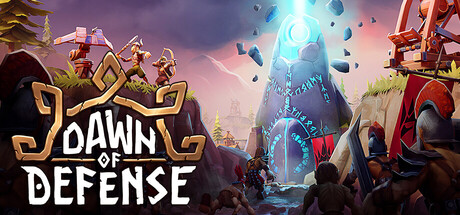
Dawn of Defense launched on Steam on November 17, 2026 as a single-player mix of trench tower defense, island RTS sieges, and roguelite meta progression from 6side Studio. This page is not a fabricated changelog of invented version numbers. It is a practical guide to how to read patch history, what the launch build set as the baseline, which systems early hotfixes typically touch, and how this wiki will summarize future Steam posts without replacing the official text.
If you only need the day-one feature list, start with the launch notes. For an index of update pages, use the Updates Hub. Come back here whenever a new Steam news post drops and you want a structured reading order.
Where official patches are posted
Treat these channels as the source of truth, in this order:
- Steam news for app
2781660— primary written notes for balance, QoL, and content. Open the Steam news hub and sort by newest. Steam is where most players first see a titled patch post with bullet lists. - Official Discord — invite link. Hotfix chatter, clarification replies, and “we are looking into X” messages often appear here before a polished Steam article.
- Studio site and socials — broader announcements and trailer posts. Cross-check via the Links Hub so you are not relying on a random mirror.
When Discord and Steam disagree on wording, prefer the Steam post for what actually shipped, then use Discord for context. Do not treat a community screenshot as a patch note until the studio confirms it.
Launch baseline: November 17, 2026
Every later patch should be compared against the retail launch build, not against a half-remembered demo. The free demo was retired around November 10, 2026 (announced for 11:00 CET) after Steam Next Fest and earlier playtests. Feedback from those builds shaped tutorial clarity, map consistency, and Runestone variety, but demo habits can still mislead you after launch.
The launch snapshot—detailed on the launch notes page—includes:
- Full campaign structure with three fortresses per run and relic choices after boss clears.
- Rising difficulty capped by Blood Moon, trading risk for more Runes.
- New tools such as the Krokran harpoon tower and the Shieldmaiden defensive unit.
- Deeper permanent meta skill trees funded by Runes between runs.
- An overhauled tutorial that awards Runes for completing teaching beats.
- An experimental autosave path called out as helpful but not yet hardened.
When a Steam post says “adjusted Krokran stun duration” or “Blood Moon Rune payout,” that sentence only makes sense if you remember what launch shipped. Keep the launch notes page bookmarked as the fixed baseline.
How to read a Steam patch post
Indie strategy games rarely ship a perfect changelog format on day one. Use this checklist every time:
- Title and date — note whether it is a hotfix, balance pass, or content drop.
- Player-facing bullets — towers, units, Runestones, economy buildings, difficulty rewards, and save/QoL lines matter most for runs.
- Dev-only or backend lines — crash fixes and telemetry notes still matter, but they may not change your build order.
- What is missing — silence on a system does not mean it was buffed; it usually means no intentional change.
- Follow-up Discord replies — sometimes a bullet is clarified hours later (“this only applies on Blood Moon”).
Copy the Steam URL into your notes if you theorycraft. Patch text ages poorly when people quote Discord paraphrases without a date.
What early post-launch patches typically touch
Without inventing fake version numbers, early-life notes for a hybrid TD/RTS/roguelite usually concentrate on the systems that launch reviews and Discord tickets hit hardest:
Tutorial and onboarding
Clarity passes, misplaced prompts, and Rune rewards for finishing teaching beats. If new players bounce in the first hour, expect tutorial tweaks before exotic late-game balance.
Runestones and meta trees
Family weights, three-choice draft fairness, limited rerolls, and permanent unlock costs. Meta pacing decides whether a failed fortress still feels productive. Cross-check strategy advice on meta progression after any Rune or tree note.
Towers and units — especially Krokran and Shieldmaiden
New tools get the most attention. Krokran’s single-target stun and Shieldmaiden’s hold power interact with Banner Carriers, high-Ward foes, and trench killboxes. Re-read the Tier List Hub after any named tower or unit bullet so rankings stay honest.
Autosave and QoL
Launch labeled autosave as experimental. Early patches often harden save timing, reduce mid-run loss cases, or clarify pause behavior. Treat every save-related bullet as a reason to re-test your exit habits rather than assuming the feature is finished.
Blood Moon and difficulty rewards
Rune multipliers, wave pressure, and fortress difficulty curves. Blood Moon is a long-term goal; payout and fairness notes matter to veterans climbing the ladder of risk.
Economy pacing, map generation consistency, and enemy special rules (Banner Carrier aura, Ward layers) also appear often because they affect every run, not just one niche build.
How this wiki will summarize future patches
When a meaningful Steam post lands, expect this workflow:
- Link the official Steam news entry from the Updates Hub.
- Summarize player-facing changes in plain language—no invented patch IDs.
- Point related systems at the right guide or tier page instead of burying a one-line balance note in isolation.
- Keep the launch notes page as the unchanged November 17 baseline so “what changed since launch” stays answerable.
We will not invent changelogs from rumors. If a Discord tip has no Steam post yet, we may mention “studio is investigating” only when that is clearly stated—and we will mark it as unconfirmed until the news hub catches up.
Practical habits for players
- After every Steam update, boot once on a low-stakes run before committing a Blood Moon climb.
- Re-check tower and unit notes before spending a large Rune dump on a tree that just shifted.
- If autosave or crash bullets appear, finish the current fortress or pause cleanly before installing if you are mid-siege (when Steam allows a delayed update).
- Keep Discord muted for spoilers if you want, but unmute
#announcements-style channels when a patch title hits Steam. - Use the Links Hub so you always open the real studio invite and store page.
Related reading order
- Launch notes — what November 17 shipped.
- Updates Hub — index of update pages.
- Meta progression — Runes and permanent trees that patches often retune.
- Tier List Hub — rankings to revisit after named balance bullets.
- Links Hub — Steam, Discord, and studio destinations.
Patch history is a reading skill as much as a list of numbers. Follow Steam first, Discord second, keep the launch baseline fixed, and let this wiki translate player-facing impact—without pretending a fake version table exists before 6side Studio publishes one.
Frequently Asked Questions
Quick answers about Dawn of Defense and this wiki.
Where do official Dawn of Defense patch notes appear?
Primary notes are posted on Steam news for app 2781660. Hotfix discussion often appears first on the official Discord invite at discord.com/invite/4yysrfB3xe.
What is the launch baseline for comparing patches?
Compare every later note against the November 17, 2026 Steam retail build. The demo ended around November 10, 2026 and should not be treated as the live ruleset.
Why does this page not list version numbers like 1.0.3?
This guide explains how to track patches and what early notes usually touch. We do not invent fake version IDs or changelogs; wait for Steam posts and summarize from those.
What systems do early patches usually change?
Tutorial clarity, Runestones and meta trees, towers and units such as Krokran and Shieldmaiden, experimental autosave QoL, and Blood Moon reward pacing are common early targets.
How will the wiki cover future patches?
The Updates Hub will link Steam posts, summarize player-facing changes, and point to related guides and tier lists while keeping launch notes as the fixed baseline.