Dawn of Defense Tools & Reference
Specs, controls, save habits, and practical reference for smoother runs.
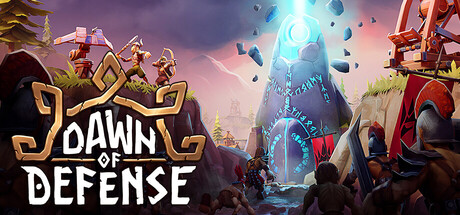
The Tools hub collects reference pages that sit beside strategy guides: can your PC run Dawn of Defense, how do camera and build menus work, how experimental autosave behaves, and what should you tweak when late-game island fights stutter. This is not a cheat sheet for codes or scripts—Dawn of Defense is a single-player Steam PC title from 6side Studio with no Roblox-style script scene. Use these pages before you blame the Spiridun for a lost run that was actually a misclick or an underpowered laptop.
Pages in this hub
- System Requirements — official minimum and recommended specs, Steam Deck untested status, storage notes, and performance tips for busy sieges.
- Controls — keyboard/mouse camera, selection, Towers / Settlement / Warband build menus, placement rotate with Q/E, and habits that keep trenches and armies in sync.
- Save Files — experimental autosave at launch, Steam Cloud expectations, pause habits before risky Bridge pushes, and backup caution without invented paths.
Bookmark these pages if you are coming from pure tower defense games; the RTS half expects comfort with camera pan, control groups, and aborting mis-placed buildings.
Who should read Tools first
New players on mid-range PCs should verify the System Requirements before cranking shadows during a four-island fight. Players who keep canceling buildings or losing the camera should open Controls and practice one quiet wave with placement only. Anyone stepping away mid-siege should read Save Files because launch autosave is labeled experimental. Veterans can skim for Steam Deck notes and reminder hotkeys after patches rearrange defaults.
How Tools links to strategy
Specs do not place Boltskot for you, but stable FPS makes microing Shieldbearers on a Bridge realistic. Controls literacy speeds Meadhall and Barracks timing so your Hero Guide plans actually happen before the horn. Save literacy protects the meta Runes you earned on Meta Progression and the mid-run board you fought for. After you are comfortable mechanically, return to the Tier List Hub for towers, units, and Runestones.
Quick checklist before a serious run
- Confirm Windows 11, DirectX 12, and GPU meet at least minimum (GTX 1060 class).
- Close heavy overlays if FPS dips when catapult volleys and tower fire overlap.
- Rebind or at least review camera pan, zoom, and build rotate (Q/E).
- Practice opening Towers, Settlement, and Warband tabs without looking down.
- Keep the Spiridun centered on a control group or camera bookmark habit so hero sieges do not tunnel vision you.
- Pause before long breaks; treat autosave as helpful but not infallible until patches harden it.
When 6side Studio ships control, graphics, or save changes, update habits from the Updates Hub and Patch History, then re-read these tools pages. Reference first, then theorycraft—fewer runs die to UI friction than to “bad RNG.”
What Tools is not
This hub does not host trainers, script lists, or redeem codes. Dawn of Defense is a premium single-player Steam strategy game: your progression is Runestones in-run and Runes in the meta tree, not third-party injectors. If you need build strength, open the Tier List Hub and the Heroes Hub instead of hunting for cheats that will not survive patches.
Frequently Asked Questions
Quick answers about Dawn of Defense and this wiki.
Does Dawn of Defense support controllers?
Steam lists keyboard and mouse as the primary setup. Check in-game settings after patches for any gamepad mappings; this hub focuses on KB/M.
Is Steam Deck verified?
Steam Deck is listed as untested. See the System Requirements page for expectations and performance caveats.
Where are build menu controls explained?
On the Controls page: Towers, Settlement, and Warband tabs, plus Q/E rotate and right-click cancel.
How does saving work at launch?
Launch includes experimental autosave. Read Save Files for pause habits, Steam Cloud expectations, and backup caution.
Are there script or code tools here?
No. Dawn of Defense is a single-player Steam strategy game—this hub covers specs, controls, and saves only.